






Home, the secretary
Your main agent. You name it and pick its face during setup. Its chat is Home: one conversation that follows you to every channel. It knows who you are, delegates to the rest of the crew and cannot be deleted.
An agent is someone on your crew: a name, a face, a role, a set of instructions and the tools it may use. Some work with you everywhere, some belong to one project, and some exist for a single errand and then disappear.
Home, the secretary
Your main agent. You name it and pick its face during setup. Its chat is Home: one conversation that follows you to every channel. It knows who you are, delegates to the rest of the crew and cannot be deleted.
Project agents
Live in a project’s .apc/agents/ folder, one markdown file each. They read the project’s AGENTS.md, work in
its folder and travel with the repo.
Global agents
Live in your base project, next to Home. They have no folder of their own and work in any project.
Workers
Throwaway helpers an agent starts for one focused job (a long search, a review). They run on the caller’s model and tools, report back and are gone.
Every agent has a face: a blobo. There are 35 of them (menta, orbita, cobalto, brasa, amatista, perla, noche,
kiwi…). Their eyes follow your pointer here and in the app. Home gets its face during setup; for any other agent,
write it in the agent’s file as icon: or set it with apx agents set <agent> blob=….
A project agent is .apc/agents/<slug>.md: a frontmatter block with its fields, then a body with its instructions.
The file is the source of truth. APX watches .apc/, so a saved edit shows up in the app right away, and changes you
make in the app are written back to the same file.
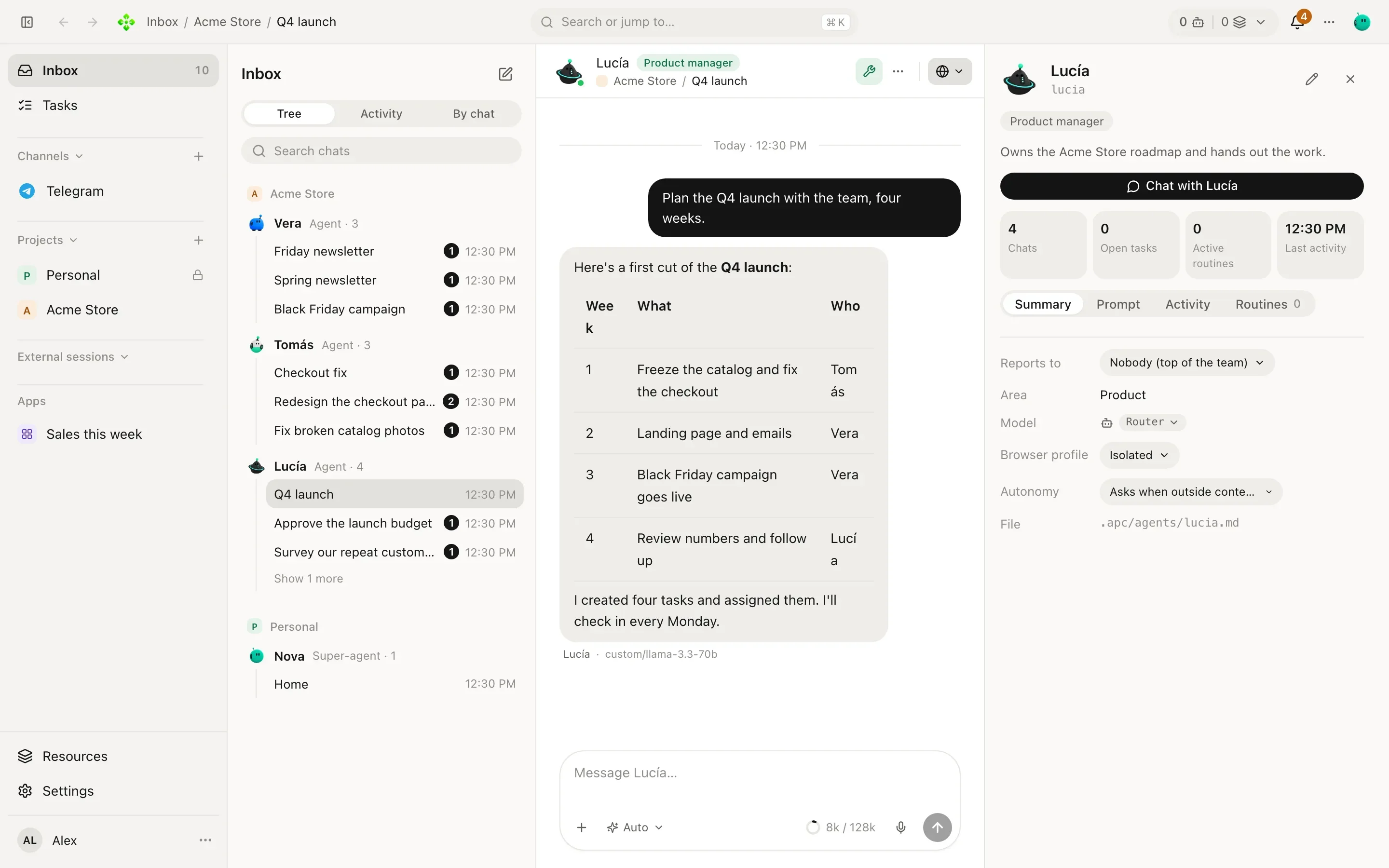
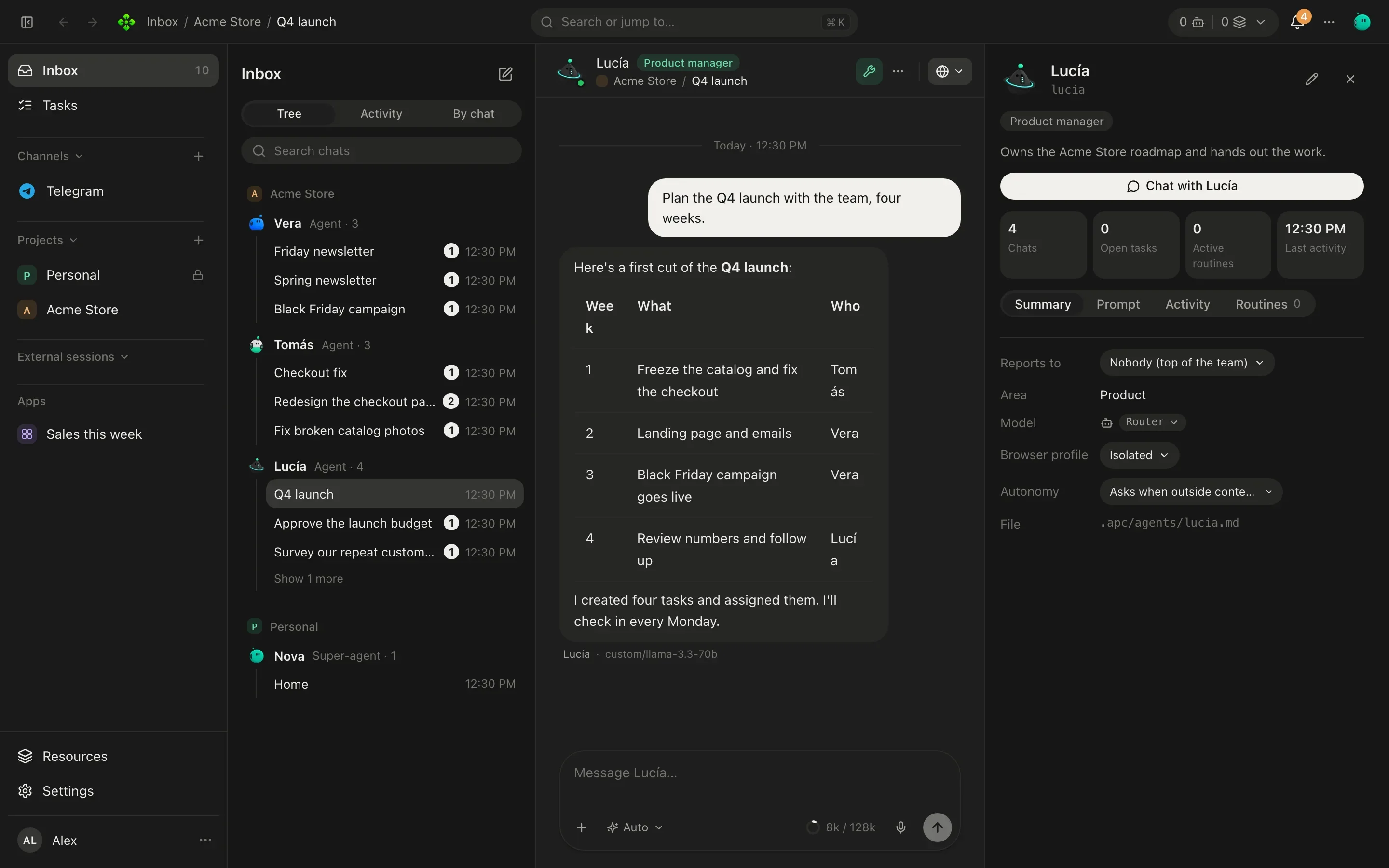
Here is Lucía, the product manager of Acme Store:
---name: Lucíarole: Product managerdescription: Owns the Acme Store roadmap and hands out the work.icon: orbitaarea: productautonomy: standardpersonality: Warm and direct. Numbers first, then the plan.tools: agents, tasks, widgets, browser, memoryskills: weekly-reportaliases: pm---
You are Lucía, product manager at Acme Store. Split big asks into tasks, assign themand follow up until they close. When a decision needs the owner, ask once, clearly.| Field | What it does |
|---|---|
name | The name shown everywhere. Defaults to the slug. |
role | One line under the name: “Product manager”, “Developer”. |
description | What the agent is for. It is also put in front of the instructions when the body does not already say it. |
icon | The agent’s blobo (orbita, menta, cobalto…). |
emoji | An optional emoji, kept with the agent (files written by other tools often have one). |
parent | The slug of the agent it reports to. Leave it out and the agent reports to Home. |
area | The area it belongs to, for the org chart (product, engineering…). |
autonomy | ask, standard (the default) or total. See Autonomy and safety. |
personality | How it sounds, apart from what it does. Up to 1,000 characters. |
tools | Limits the agent to these tools or groups. Leave it out for every tool. |
skills | Limits which skills it is offered. Leave it out for all of them. |
aliases | Old slugs. Rename the file, list the old slug here, and the agent keeps its chats. |
model | engine:model, as APX v1 wrote it. Read when the agent first appears; after that, set the model from the app or apx agents model. inherit means the install default. |
The body is the agent’s own instructions. Write it like a note to a new colleague: what they own, how they work, what they should never do alone.
Tool groups you can name in tools:: browser, widgets, agents (list agents, delegate, grant a tool),
shell, files, mcp, memory, images, tasks. You can also name single tools. A few tools stay no matter
what the list says, because they only read or ask you: reading output, asking you a question, loading a skill and
recalling notes.
.apc/agents/.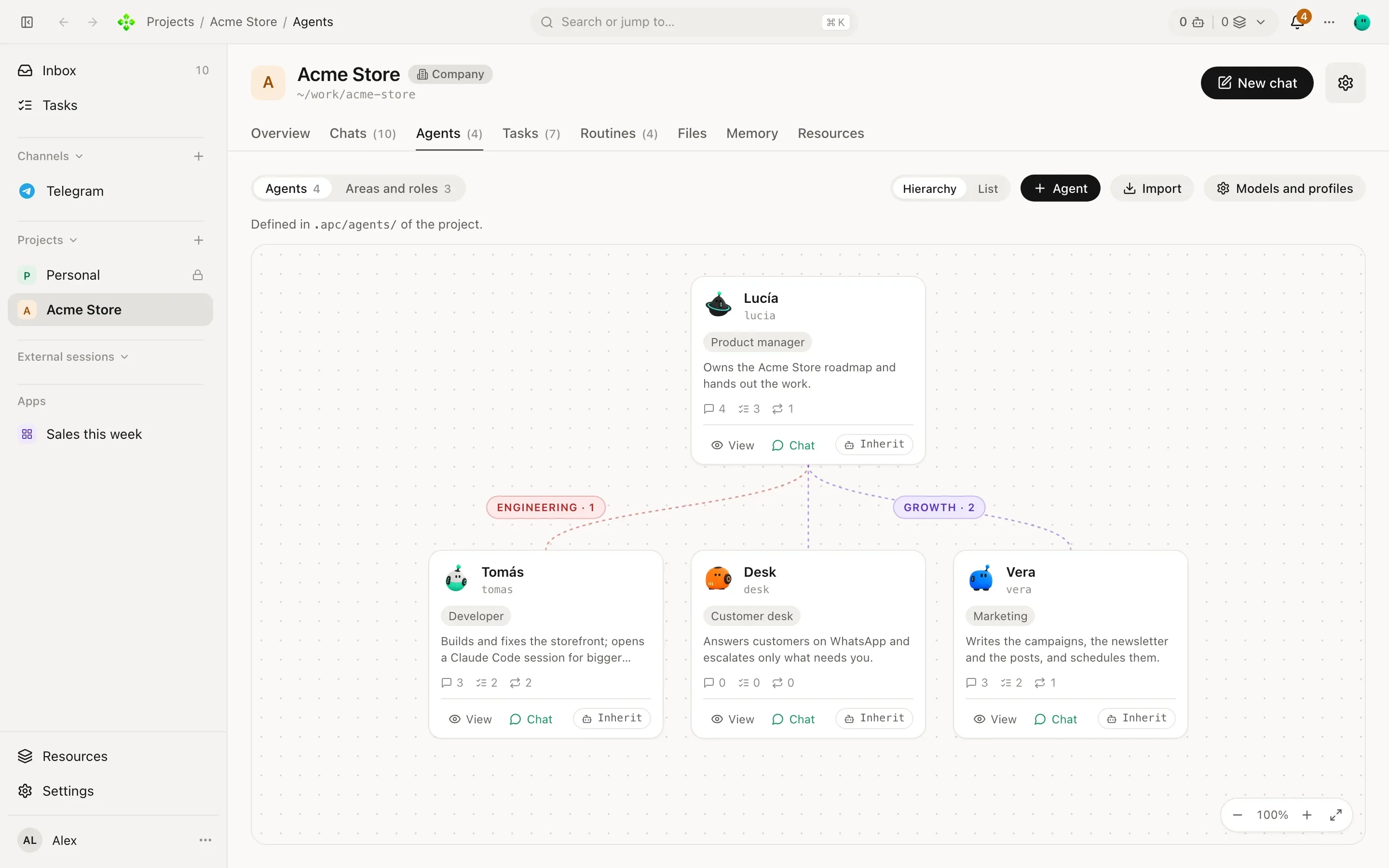
Create an agent from the base project and it becomes a global agent: it works in any project.
List the crew and the model each agent runs on (★ marks Home):
❯ apx agents
nova                         ★ Nova             default                      personal secretary
3f9a1c0d7e21-lucia             Lucía            router                       Product manager
3f9a1c0d7e21-tomas             Tomás            default                      Developer
Create one. With --project it lands in that project’s .apc/agents/; without it, it is a global agent:
❯ apx agents new vera "Vera" --project p_3f9a1c0d7e21 --role "Marketing"
Vera (3f9a1c0d7e21-vera) · written to .apc/agents/
Change fields with key=value pairs (name, role, slug, parent, blob):
❯ apx agents set 3f9a1c0d7e21-vera parent=lucia blob=cobalto
Vera (3f9a1c0d7e21-vera) · vera · Marketing
Archive one. Its file moves to .apc/agents/.archived/, never erased, and its chats stay:
❯ apx agents archive 3f9a1c0d7e21-vera
archived; file moved to ~/work/acme-store/.apc/agents/.archived/vera.md
Pick its model (see Models and engines):
❯ apx agents model 3f9a1c0d7e21-lucia gemini/gemini-3.8-flash --router
Lucía: gemini/gemini-3.8-flash → router
Import on the Agents tab offers ready-made agents and whole teams, from examples/agents/ in the APX repo (and
from your APX v1 vault, read-only). A loose <slug>.md is a single agent, like the Researcher or the Price Finder. A
folder with a TEAM.md is a team: the product team (an orchestrator, a PM, a developer, a designer, QA…) or the
executive team, which also brings its weekly routines.
Installing copies the file into .apc/agents/ as written. Only parent may change, to hang a team’s lead under the
project’s existing orchestrator. A slug the project already has is skipped, never overwritten.
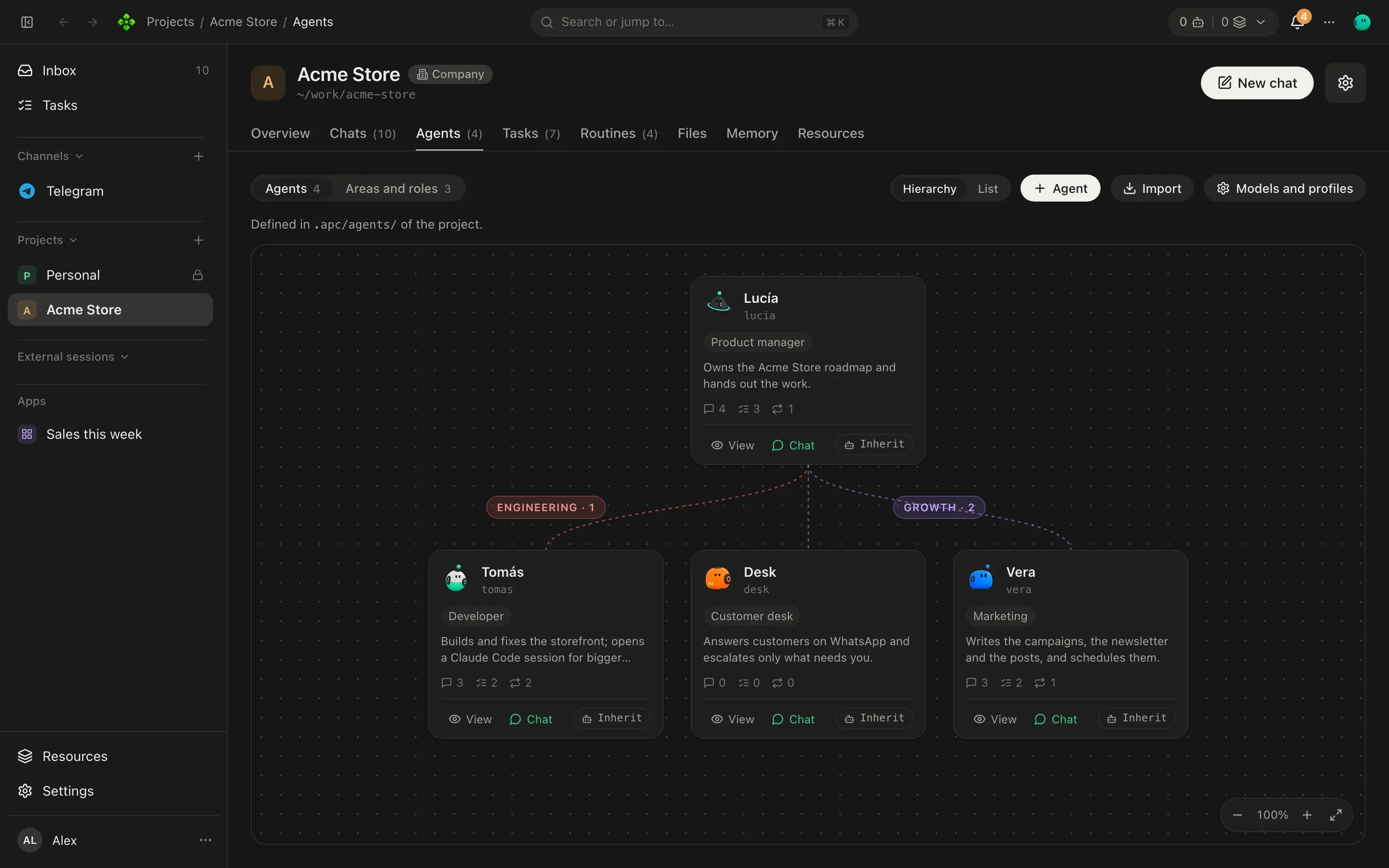
The Agents tab draws your team two ways:
parent:. Agents with no parent report to Home.area:, with the areas and roles of the project.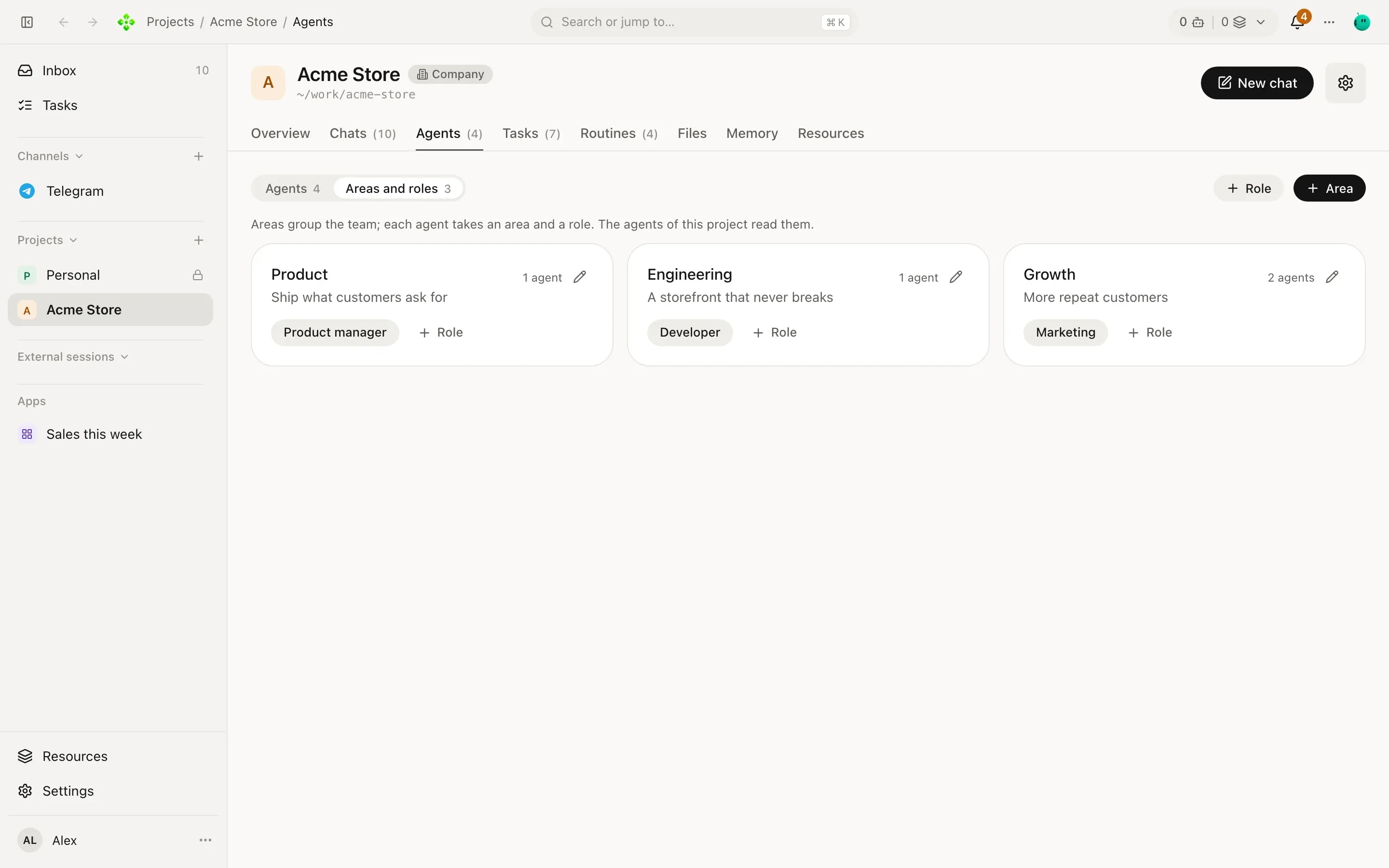
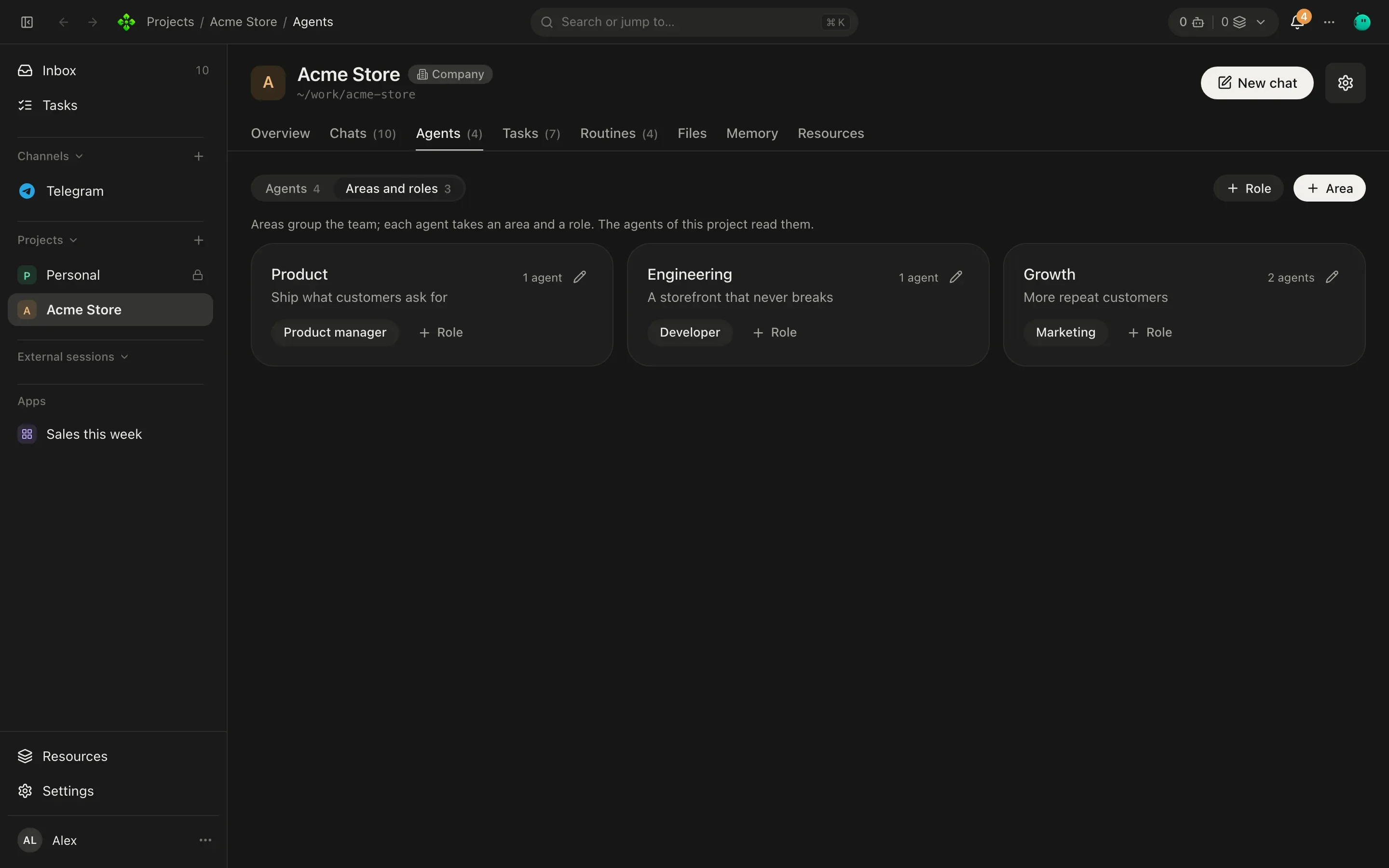
Areas and roles are for companies: they live in .apc/organization.json (up to 40 areas and 200 roles), and the
project’s type becomes Company when you add them. Agents read them, so Lucía knows Growth is Vera’s.
{ "areas": [ { "slug": "product", "name": "Product", "goal": "Ship what customers ask for" }, { "slug": "growth", "name": "Growth", "goal": "More repeat customers" } ], "roles": [ { "slug": "pm", "name": "Product manager", "area": "product" }, { "slug": "mkt", "name": "Marketing", "area": "growth" } ]}An agent with the delegate tool can hand a task to a standing agent (“ask Tomás to fix the checkout”) or start a
worker: a helper it defines on the spot with a name, instructions and, optionally, a shorter list of tools. A
worker runs on its caller’s model, gets no personality and no roster, asks nobody else and reports back.
The answer comes back inside the same turn if it is quick, or later as a new turn that wakes the caller. The chat shows a card with the progress, the whole report (folded until you open it) and how long it took.
APX keeps delegation on a leash:
| Limit | Value |
|---|---|
| How deep delegations nest | 2 (your agent → a helper → the helper’s helper) |
| Delegations running at once from one chat | 3 |
| Time a delegated run may work | 10 minutes |
| Turns agents start on their own without you | 16, or 600,000 tokens, then the chain pauses until you write |
A delegated run never has more power than whoever asked for it: it only gets the tools every agent up the chain may use, and the strictest autonomy among them.
Everything that talks to an agent goes through the same door: you in the panel, the apx CLI, a channel message,
a routine, a widget, an outside app, and agents talking to each other. That is why agent-to-agent work shows up in
your chats like any other turn, and why its limits and approvals can’t be skipped.
❯ apx chat "What is Tomás working on?" --agent 3f9a1c0d7e21-lucia
Tomás has the checkout redesign in progress and the catalog photo fix in review.
Leave out --agent and you are talking to Home.