
Configuration
Almost everything in APX is configured from the panel and kept in the core’s database. What’s left for files and environment variables is the machine-level part: where the home folder is, who can reach the core, and a few switches.
The home folder
Section titled “The home folder”APX keeps all its state in one folder: ~/.apx/v2 unless APX_HOME says otherwise. It sits inside APX v1’s
~/.apx, and v2 never writes v1’s files there.
Directory~/.apx/v2/
- apx.db everything the core holds: agents, threads, tasks, routines, memory, settings (SQLite)
- core.env who can reach the core: host, port, token, public address
- secrets.json secret values, when secrets are kept in a file (mode 600)
- secrets.index.json names and dates only, when they’re in the macOS Keychain
Directoryskills/ your global skills, one folder with a SKILL.md each
- …
Directoryextensions/ installed extensions
- …
Directoryprofiles/ secretary profiles you added
- …
Directoryprojects/ APX’s side of each project: projects without a folder elsewhere, widgets
- …
Directorywork/ where agents work in chats outside any project
- …
Directoryjobs/ background jobs’ output
- …
Directorymedia/ uploads, sent files and generated media, by date
- …
Directorychannels/ per-channel data, such as a WhatsApp session
- …
Directorybrowser/ the headless Chrome’s shared profile
- …
Directorymodels/ local models you installed, such as voice dictation
- …
Directorylogs/ core.log when the core runs as a service on macOS or Windows
- …
Directoryapp/ the installed bundle, on a server: versions/ and the current link
- …
Your projects themselves stay where they are: a project is a folder with AGENTS.md and/or .apc/, and APX reads and
writes its agents, memory and skills there (Projects).
core.env
Section titled “core.env”<home>/core.env says how the core is exposed. apx expose, Settings › Connections › Devices and the desktop
app’s first run write it; the core, the apx command and the desktop app read it. It’s a plain KEY=VALUE file,
readable only by you (mode 600), and only these keys count:
| Key | What it sets |
|---|---|
APX_HOST | The address the core listens on. |
APX_PORT | Its port. |
APX_TOKEN | The core’s token. |
APX_PUBLIC_URL | The address other devices use, first in the pairing QR. |
APX_ALLOWED_ORIGINS | Extra web origins allowed to call the core. |
The process environment always wins over the file. The core reads it when it starts, so a change needs a restart.
Environment variables
Section titled “Environment variables”The core
Section titled “The core”| Variable | Default | What it does |
|---|---|---|
APX_HOME | ~/.apx/v2 | The home folder. |
APX_PORT | 7440 | The core’s port. |
APX_HOST | 127.0.0.1 | The address it listens on. Anything other than loopback needs APX_TOKEN, or the core refuses to start. |
APX_TOKEN | none | The core’s token. Without one, the core only accepts this computer. |
APX_PUBLIC_URL | none | The address devices reach this core on from outside (a VPS or a Tailscale name). It goes first in a pairing QR. |
APX_ALLOWED_ORIGINS | none | Extra origins allowed to call the core, comma separated. |
APX_SECRETS | Keychain on macOS, file elsewhere | file keeps secrets in <home>/secrets.json on macOS too. |
APX_UPDATES | on | off stops looking for a newer APX. |
APX_RELEASES | agentprojectcontext/apx | The GitHub repository whose releases announce a newer bundle. off stops it. |
APX_APP | ~/.apx/v2/app | Where the install script puts the bundle (its versions and current). |
APX_AGENT_NAME | a random one | Home’s name on a fresh install. |
APX_LLM_TIMEOUT_MS | 45000 | How long the core waits for the first byte of a model’s answer. |
APX_IMESSAGE | on | off hides the iMessage tools (Mac only). |
APX_HEADLESS | on | off: no headless Chrome when no desktop app lends a browser. |
APX_CHROME | found on its own | The Chrome, Chromium or Edge binary for the headless browser. |
APX_RUNTIME_SKILLS | on for the default home | on or off: keep APX’s skills current in Claude Code, Codex, Cursor and ~/.agents at every start. A core with its own APX_HOME doesn’t, unless this says on. |
APX_WEB_DIST | the workspace build | The built panel to serve. |
APX_V1_URL | http://127.0.0.1:7430 | APX v1’s daemon, only for the read-only import. |
APX_V1_HOME | ~/.apx | APX v1’s folder, only for the read-only import. |
CLAUDE_CONFIG_DIR | ~/.claude | Where Claude Code keeps your sessions (read to list and resume them). |
CODEX_HOME | ~/.codex | Where Codex keeps your sessions. |
APX_SUPERVISED | set by supervisors | 1 when something starts the core again after it exits to update (pnpm app and the service set it). |
A custom model provider
Section titled “A custom model provider”These four add one OpenAI-compatible provider, first in the list: a local server, a gateway, anything that speaks that API. You can also add providers from the panel (Models).
| Variable | Default | What it does |
|---|---|---|
APX_LLM_BASE_URL | none | The provider’s base URL. Setting it adds the provider. |
APX_LLM_KEY_REF | env:APX_LLM_KEY | Where its key comes from: secret://<name> or env:<VAR>. |
APX_LLM_KEY | none | The key, when the reference is the default. |
APX_LLM_MODELS | asks the provider | A fixed, comma-separated model list, for servers that can’t list theirs. |
The terminal
Section titled “The terminal”| Variable | Default | What it does |
|---|---|---|
APX_URL | http://127.0.0.1:7440 | The core apx talks to. |
APX_TOKEN | the one in core.env | The token it presents. |
APX_CHANNEL_TOKEN | none | A Telegram bot’s token, for apx channels add. |
APX_CLIENT_TOKEN | none | An outside app’s token, for apx mcp. |
The desktop app
Section titled “The desktop app”| Variable | Default | What it does |
|---|---|---|
APX_URL | http://127.0.0.1:7440 | The local core it opens. |
APX_CONNECTION | asks on first run | local skips the first-run question and uses this computer’s core. |
APX_DESKTOP_DATA | the system’s app data folder | A separate data folder: its own browser sessions and its own single-instance lock. |
APX_WEB_URL | http://127.0.0.1:7441 | The panel’s dev server, tried first when running from a checkout. |
| Port | What |
|---|---|
7440 | The core: the panel, the protocol and /health. Change it with APX_PORT. |
7441 | The panel’s dev server (pnpm --filter @apx/web dev), only when working on APX. |
7430 | APX v1’s daemon. v2 doesn’t use it, so both can run side by side. |
443 | Where apx expose tailscale publishes the core inside your tailnet (tailscale serve). |
Secrets
Section titled “Secrets”APX never puts a secret’s value in a prompt, a log or a config file. Settings and agents refer to secrets by name
(secret://gemini) and the core resolves them only where they’re used.
- macOS: values go to your login Keychain, under the service
apx2for the default home.<home>/secrets.index.jsononly lists names and dates. - Linux, Windows, or
APX_SECRETS=file: values go to<home>/secrets.json, readable only by you.
Manage them in Resources › Variables (global or per project; a project’s value wins over a global one), or with
apx secrets (the value always on stdin).
Where each setting lives
Section titled “Where each setting lives”Open Settings with ⌘, or from your account menu. The sections, by group:
| Group | Section | What you set there |
|---|---|---|
| General | Account | Your name, about you, your agents’ language, your time zone. |
| Appearance | Mode, style, font, width and language (below). | |
| Models | Engines and models | Providers and their keys, sign-ins, which models exist. |
| External sessions | The Claude Code and Codex CLIs on this machine. | |
| Router | The fallback chain and the rules that pick a model. | |
| Memory | Memory mode, skill picker, compaction. | |
| Voices | Engines that turn voice notes into text and speak replies. | |
| Images | Image engines, tried in order. | |
| Agents | Agents | Each agent’s model and browser profile. |
| Profile | Your secretary’s profile and its routines. | |
| Channels | Telegram, WhatsApp, Discord, Slack and the rest. | |
| Interruptions | Daily cap, quiet hours, where notices go. | |
| Connections | Devices | Who can reach this APX, pairing, paired devices, push. |
| API tokens | Tokens for outside apps. | |
| Environment | Browser | Import your sessions into APX’s browser. |
| Desktop | Quick chat shortcut, start with the computer, computer use. | |
| Advanced | The core’s version, code_sha, uptime, services and RAM usage. |
Languages and themes
Section titled “Languages and themes”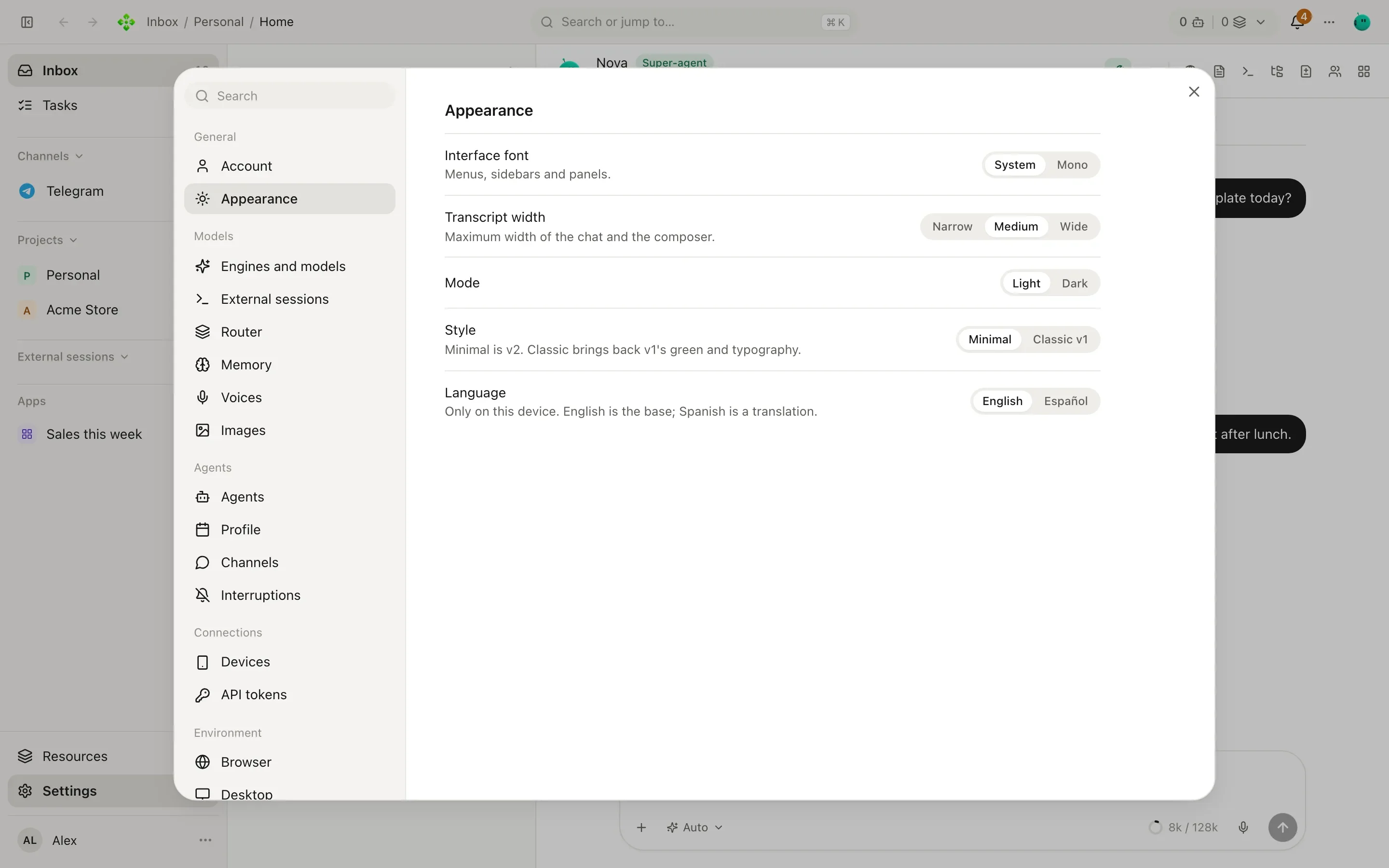
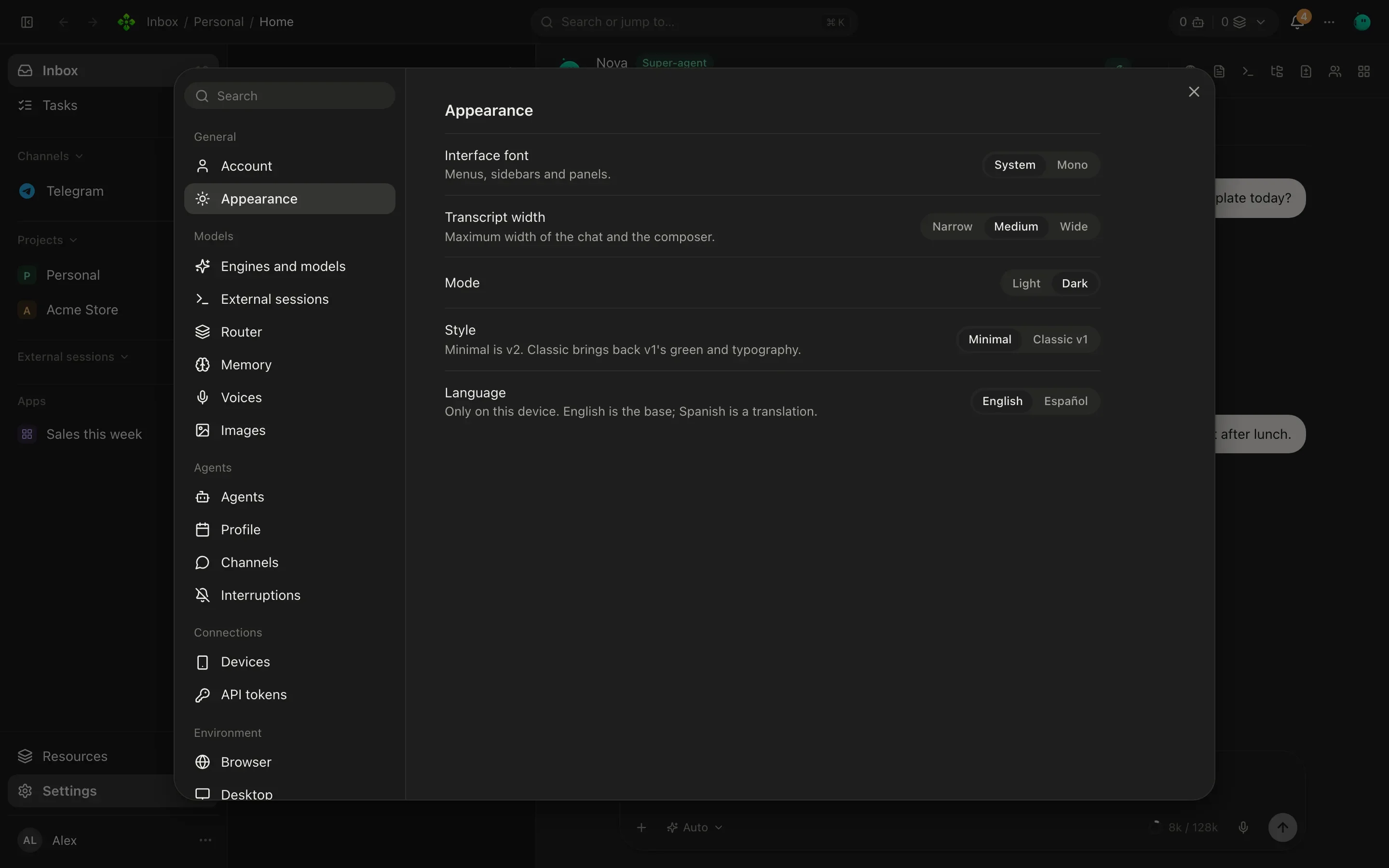
Settings › Appearance has:
- Mode: Light or Dark. The first time it follows your system.
- Style: Minimal (v2’s look) or Classic v1 (v1’s green and type).
- Interface font: System or Mono, for menus, sidebars and panels.
- Transcript width: Narrow, Medium or Wide, the maximum width of the chat and the composer.
- Language: English or Spanish. It follows your browser’s language until you pick one, and applies only on that device.
Mode and language are also in the account menu. Your agents’ language is a separate setting, in Settings › Account.