
Models and engines
APX doesn’t come with a model of its own. You bring one (or several): an API key, your ChatGPT plan, a model running on your machine. APX picks the right one for each turn and falls back when one fails.
Two words: provider and harness
Section titled “Two words: provider and harness”| Is | Examples | |
|---|---|---|
| Provider | A model API that APX’s own loop calls. Your agents think with these. | Gemini, Anthropic, OpenAI, OpenRouter, a local Ollama, your ChatGPT plan |
| Harness | What runs a turn’s loop. native is APX’s own; the others are coding CLIs that run their own loop. | native, claude (Claude Code), codex (Codex), acp (OpenCode, Qwen Code, Gemini CLI, goose…) |
Your agents, the router and the install default always use providers through APX’s loop, with APX’s tools, memory and safety rules. Claude Code, Codex and the other CLIs run in their own sessions: you talk to the CLI itself, in a folder, from External sessions. They are not models for your agents.
Add a provider
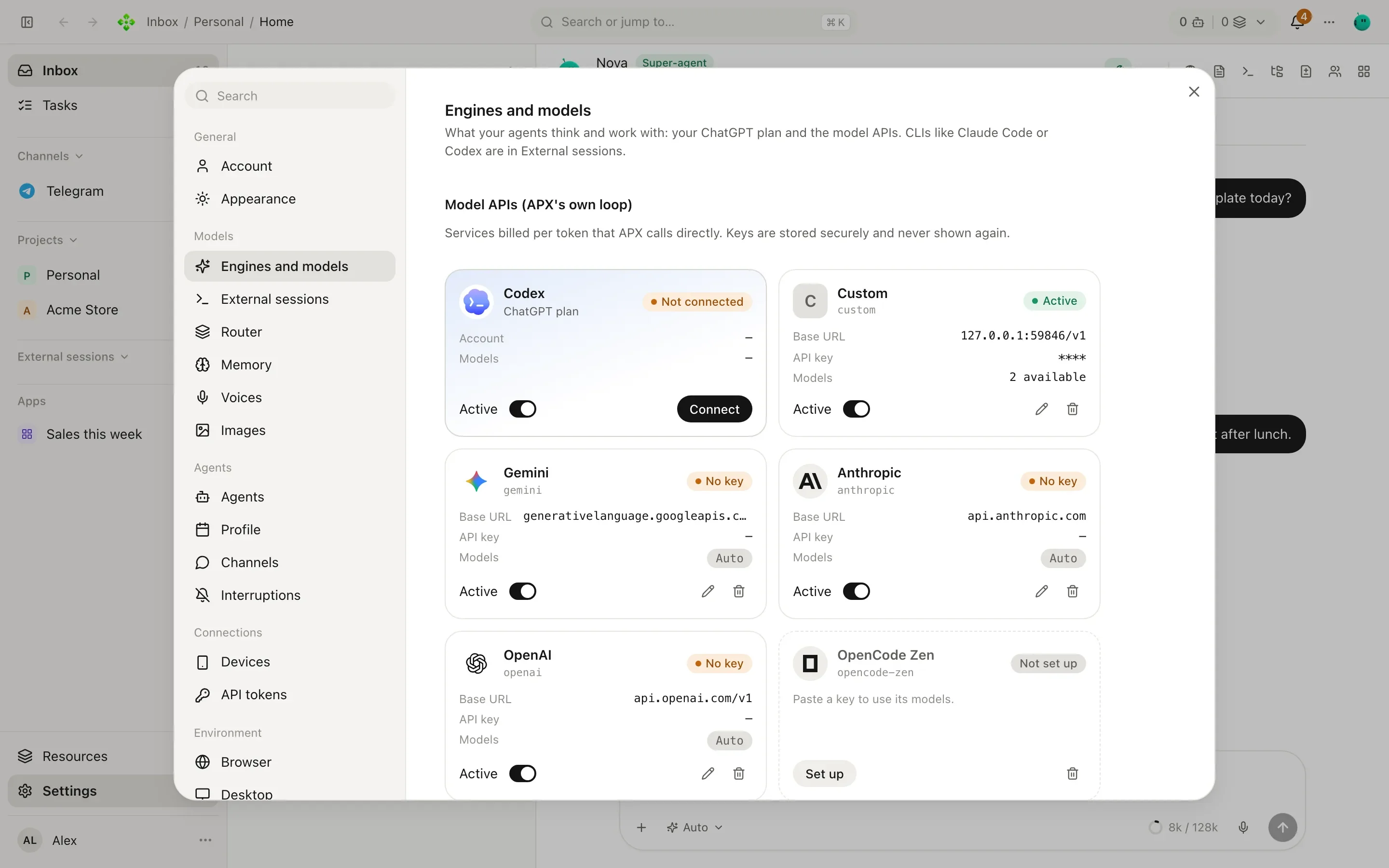
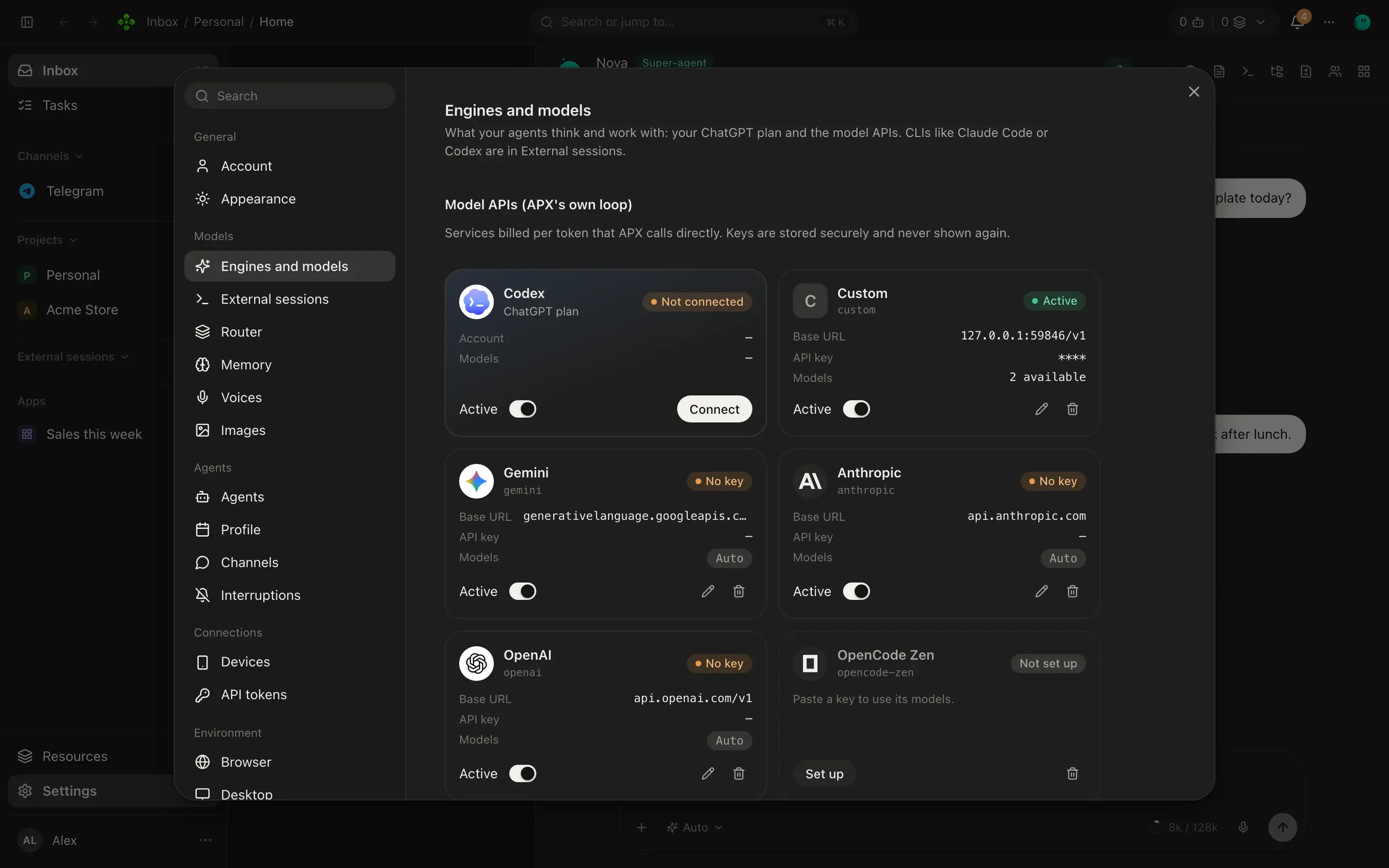
Section titled “Add a provider”Open Settings › Engines and models. Under Model APIs (APX’s own loop), click Add provider and pick its kind; the address fills in. Paste the key (APX stores it in the secret store and never shows it again) and the model list is asked to the provider itself.
Presets: OpenCode Zen, Gemini, Anthropic, OpenAI, OpenRouter, Groq, Cerebras, DeepSeek, Mistral, Ollama, LM Studio, and OpenAI-compatible for anything else that speaks that API. Ollama and LM Studio run on your machine and need no key.
On a server with no panel, three environment variables add one OpenAI-compatible provider: APX_LLM_BASE_URL,
APX_LLM_KEY_REF (a secret’s name) and APX_LLM_MODELS. See Configuration.
Your ChatGPT plan
Section titled “Your ChatGPT plan”Your ChatGPT plan can be a provider too, shown as Codex. Its models then run in APX’s loop with APX’s tools.
- In ChatGPT, open Settings › Security and turn on Device code authorization for Codex. Without it the sign-in can’t finish.
- In Settings › Engines and models, click Connect on the ChatGPT plan card, then Sign in with ChatGPT.
- Open the page APX shows and type the code there. APX waits until you finish in the browser.
APX keeps its own sign-in, apart from the Codex app’s, and refreshes it on its own. If APX v1 was already signed in, Use APX v1’s sign-in takes it over with no new code.
Naming a model
Section titled “Naming a model”A model is written as engine/model, with an optional reasoning effort after a #:
gemini/gemini-3.8-flash a model of the gemini providerchatgpt/gpt-6-sol#high your ChatGPT plan's model, thinking harderollama an engine alone: its own default modelacp:opencode/<model> an ACP agent, in its own sessionsThe engine id is the provider’s id, as shown in its settings (“Its id in model names”). The efforts a model takes
come from the model itself (low, medium, high and so on). In a chat, /effort changes it for that chat.
The router
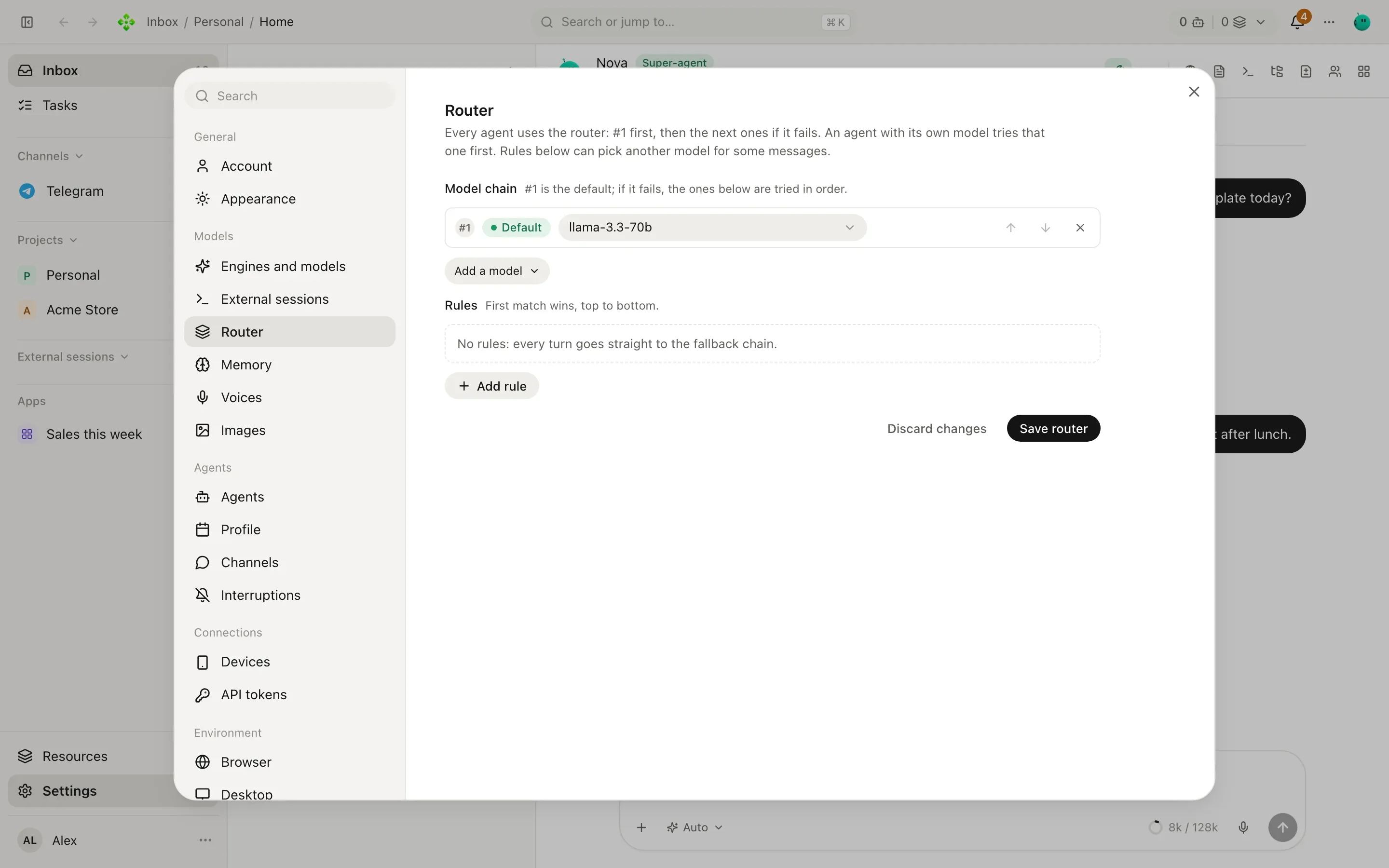
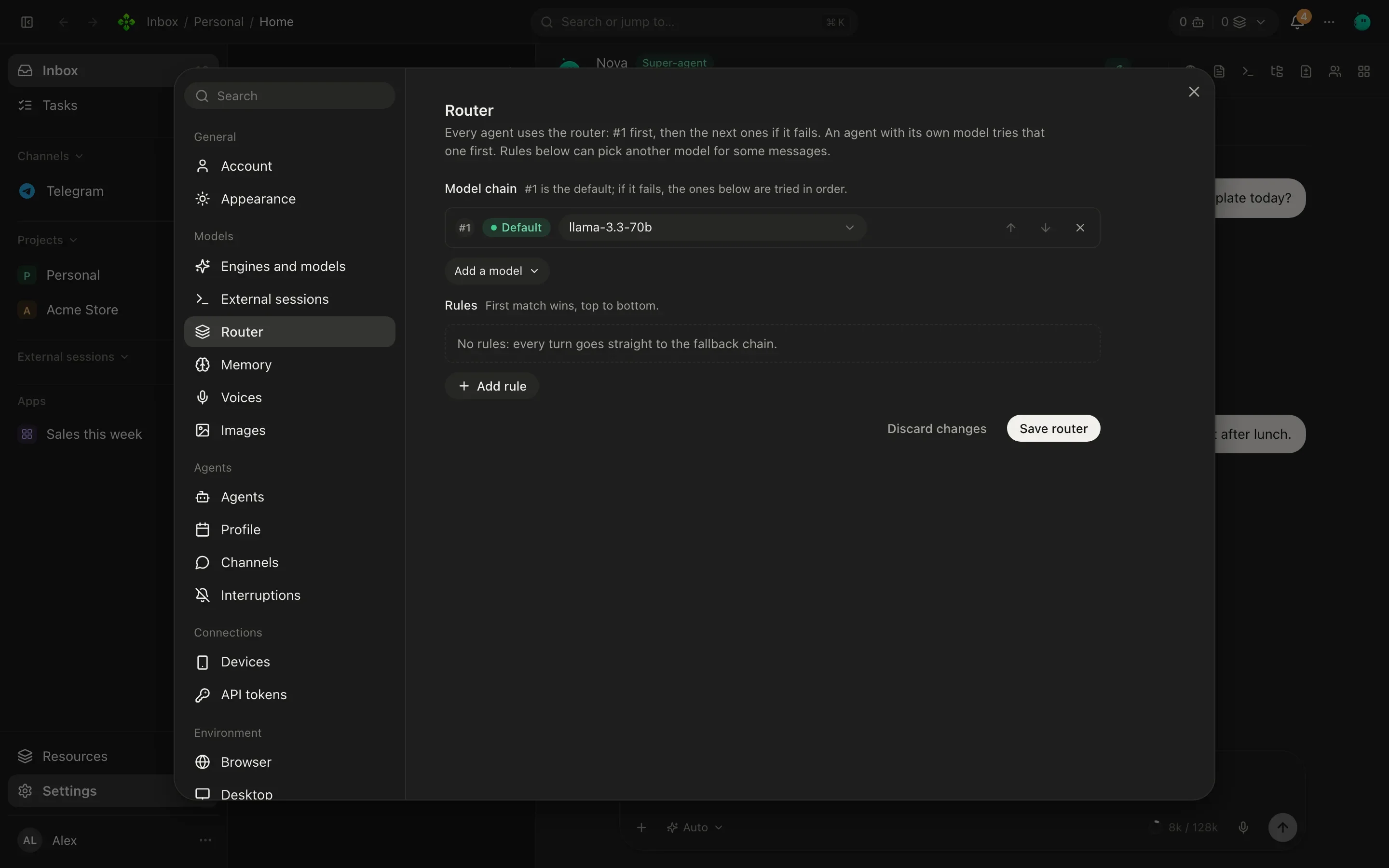
Section titled “The router”The router decides which model answers each turn. Find it in Settings › Router.
- Rules, checked top to bottom: the first one that matches picks the model. A rule can look at whether the message has an image, its length, how big the context is, the channel, who started the turn (a person, another agent, an agent’s result, an app, a channel, a routine, the system), the agent’s kind and keywords. A rule with no conditions matches every turn.
- The model chain: #1 is the default, and if it fails the ones below are tried in order.
A turn falls back to the next model only if the failing one had not run a tool yet. Once a tool ran, the turn fails honestly instead: trying again on another model could do the same thing twice. When it does switch, the chat shows a “Switched model” notice saying which model didn’t answer and why.
Per agent, per chat, by default
Section titled “Per agent, per chat, by default”Three places pick a model, most specific first:
| Where | How | It means |
|---|---|---|
| A chat | The model picker in the composer | Only this chat. |
| An agent | The agent’s panel, or apx agents model | A fixed model, a model with the router behind it (--router), the router alone, or the install default. |
| The install | apx models default, or the router’s chain | Every agent without its own choice. |
Every turn records its model and tokens, and whether they were included in a subscription or metered (paid
per token). See it in the chat’s Usage side panel, with /usage in a chat, or for the whole install:
❯ apx usage 7
since 2026-10-01
gemini/gemini-3.8-flash                      metered     212 runs     1840233 in      96410 out
chatgpt/gpt-6-sol                            included     48 runs      603118 in      41022 out
From the terminal
Section titled “From the terminal”❯ apx models claude — Claude Code claude/sonnet codex — Codex codex/gpt-6-sol gemini — Gemini gemini/gemini-3.8-flash gemini/gemini-3.8-pro chatgpt — Codex chatgpt/gpt-6-sol ollama — Ollama (not available)
The list starts with the CLIs (claude, codex, any ACP agents), whose models you use in their own sessions, then
your providers. Each engine is asked for its own list; apx models --refresh asks again instead of using the
day-old cache.
❯ apx models config
default: router
router chain: gemini/gemini-3.8-flash → chatgpt/gpt-6-sol
rule {"has_image":true} → gemini/gemini-3.8-pro  # photos and screenshots
| Command | Does |
|---|---|
apx models default <engine/model | engine | router> [--router] | Sets the install default. |
apx models chain <ref> [<ref>…] | Sets the router’s fallback chain, in order. |
apx models rules < rules.json | Replaces the router’s rules (JSON on stdin). |
apx agents model <agent> <ref | router | default> [--router] | Sets one agent’s model. |
A rules file is a list. Every condition in when must hold; model is what the rule picks:
[ { "when": { "has_image": true }, "model": "gemini/gemini-3.8-pro", "note": "photos and screenshots" }, { "when": { "triggers": ["routine"], "max_chars": 2000 }, "model": "ollama" }, { "when": { "keywords": ["contract", "invoice"] }, "model": "chatgpt/gpt-6-sol#high" }]The conditions are has_image, min_chars, max_chars, min_context_chars, channels, triggers (user,
a2a, a2a_result, surface, channel, routine, system), agent_kinds (secretary, agent) and
keywords.